Say you run a plant in Manesar, a warehouse in Bhiwandi and a retail chain across four states. Your EPF return is due on the 15th. Your factory licence expires in March. A contractor at the warehouse has not sent remittance proof since August. And a state you operate in just changed its register format. Who is keeping track of all that? If the honest answer is “one very tired person and a spreadsheet”, you are exactly who regulatory compliance software is built for.
This guide explains what regulatory compliance software actually does in an Indian employer’s day, who genuinely needs it, and who can wait. It also clears up a naming confusion that trips up half the people searching for it.
Not sure whether you need software yet? Send us your locations and contractor count and we will tell you plainly. GET A FREE COMPLIANCE AUDIT
What Regulatory Compliance Software Is (and Which “Regulatory” You Mean)
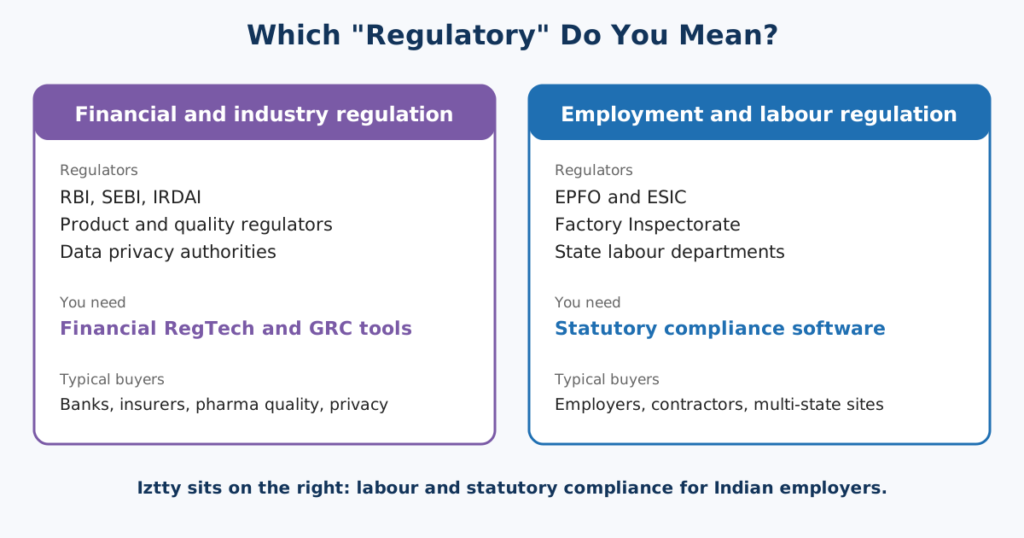
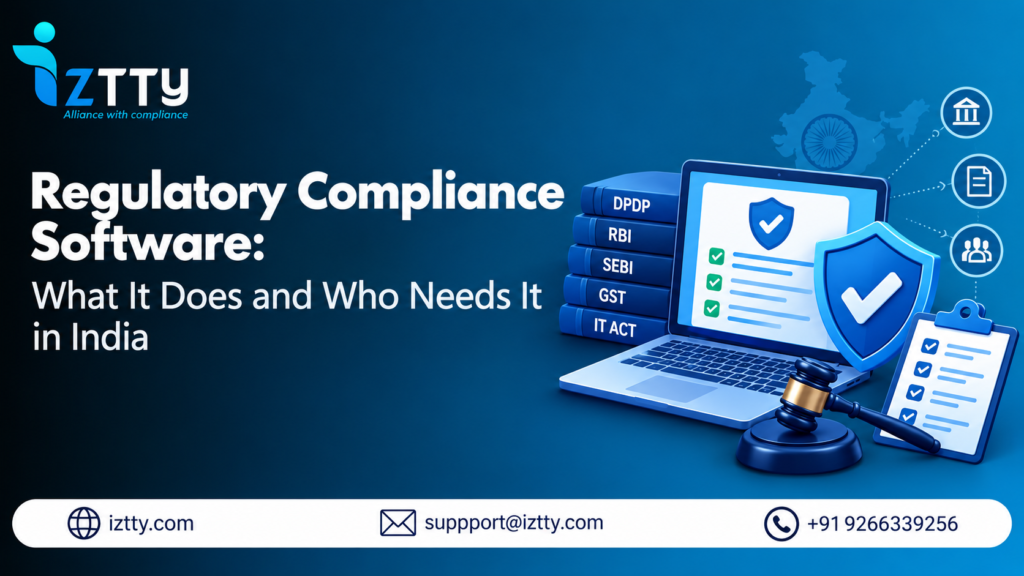
Regulatory compliance software is a system that tracks the laws, licences and filings your business must comply with, assigns each to an owner, checks the work and keeps proof that it was done. For an Indian employer, those obligations come from the EPF and ESI schemes, the Factories Act, state Shops & Establishment Acts, the Contract Labour (Regulation and Abolition) Act, Professional Tax and Labour Welfare Fund laws, and now the four Labour Codes.
Here is the confusing bit. Search for “regulatory compliance software” and you will see tools for banks, insurers, pharma quality systems and data privacy. That is a different world. Those products manage financial regulation, product safety or privacy law. This article is about the employment and labour side: statutory compliance software for companies that employ people, use contractors and run sites across states.
Quick way to tell the two apart: if the regulator is RBI, SEBI or IRDAI, you want a financial RegTech tool. If the regulator is EPFO, ESIC, a Factory Inspectorate or a state labour department, keep reading.
The Seven Jobs It Does
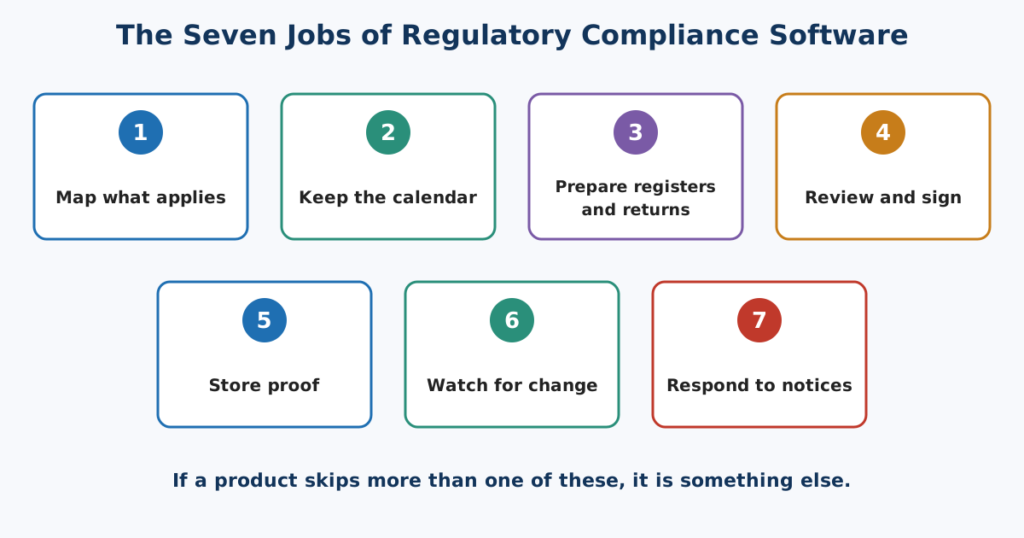
Strip away the marketing and good regulatory compliance software does seven things. If a product skips more than one, it is something else.
1. Maps what applies to you
Which Acts, which forms, which states, which sites. Applicability depends on your location, headcount, activity and whether you use contractors. The software builds that list from your company profile, so nobody has to rebuild it from memory each year.
2. Keeps the calendar
EPF ECR and ESIC contributions on the 15th. The CLRA principal employer annual return (Form XXV) by 31 January. Licence renewals. State Professional Tax and Labour Welfare Fund dates that differ by state. A compliance calendar that knows your sites is the base layer.
3. Prepares the registers and returns
Muster roll, overtime register, wage registers, employment cards, in the format your state requires. This is where most manual effort sits, and where wrong formats cause findings. Our Factories Act registers checklist shows how many there are.
4. Reviews and signs before anything goes out
One person prepares, another checks, a DSC holder signs. That is the Maker-Checker-DSC pattern, and it is the control most manual processes lack. The maker-checker-DSC guide walks through it.
5. Stores proof
Approved registers, challan proof and acknowledgements, archived and searchable. When an inspector asks for last year’s register from a plant in another state, you find it in a minute, not a day.
6. Watches for changes
A new circular, a state amendment, a Code rule. The four Labour Codes took effect on 21 November 2025, with detailed rules still arriving. Regulatory change intelligence turns each change into tasks matched to your profile.
7. Helps you answer notices
When EPFO, ESIC or a labour department writes to you, the clock starts. Software that reads the notice, extracts the allegation and deadline and drafts a reply with an evidence list saves the first and slowest stretch. See AI notice response.
What It Does Not Do
A fair guide should say this out loud.
- It does not replace judgement. Whether a contractor arrangement is genuine, or how to read an ambiguous Code provision, still needs a person with experience.
- It does not remove accountability. The occupier, employer or principal employer stays responsible. Software gives you control and proof, not a transfer of liability.
- It is not legal advice. Good platforms keep a human review step before any rule change is enforced in your account.
- It will not fix bad data. If headcount, wages or contractor lists are wrong in payroll, the output will be wrong too. Garbage in, tidy-looking garbage out.
Also check one practical thing early: does the product file directly on government portals, or does it prepare, review and sign documents that you then submit? Both are legitimate. Know which one you are buying.
Who Needs It: Seven Signs
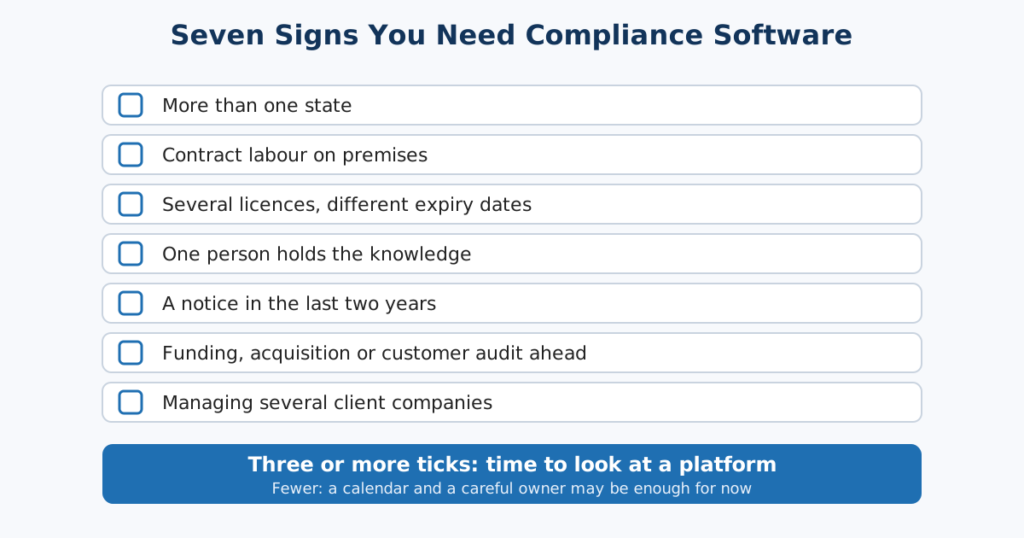
There is no single employee count where software becomes necessary, and applicability thresholds under each Act or Code differ by state, so check current thresholds on the official sources: EPFO and ESIC publish theirs. What matters is how many things you are juggling. If three or more of these sound familiar, it is time.
- You operate in more than one state. Each state brings its own register formats, renewal cycles and Professional Tax and Labour Welfare Fund rules.
- You use contract labour. Under the Contract Labour (Regulation and Abolition) Act, 1970, a principal employer can carry liability for specified contractor failures. Chasing proof by email does not scale.
- You have several licences with different expiry dates. Factory licence, S&E registrations, contractor licences. One missed renewal can stop a site.
- One person holds all the knowledge. If they resign, do you still know what is due?
- You have received a notice in the last two years. It usually means a gap exists elsewhere too.
- You are preparing for funding, an acquisition or a big customer audit. Diligence teams ask for evidence, not assurances.
- You are a consultant or firm handling several client companies. Separate spreadsheets per client are a risk in themselves.
Who Needs It by Industry
The need looks different depending on what you do. This table shows the main driver in each sector and what the software has to handle.
| Sector | What drives the load | What the software must handle |
|---|---|---|
| Manufacturing and factories | Factories Act registers and licences, overtime, contractor labour on the shop floor | Form 25 Muster Roll and Form 17 Overtime Register, licence renewal alerts, per-plant scoring |
| Retail and shops | Many small locations under state S&E Acts, each with its own registration | State-specific formats, renewal tracking per outlet, a single view across all of them |
| IT and technology services | Fewer registers but multiple offices and client audits asking for proof | S&E, Professional Tax, PF and ESI across cities, plus an audit-ready archive |
| Construction and infrastructure | Large, changing contractor workforces at project sites | Contractor onboarding, CLRA registers, remittance proof, vendor scoring |
| Staffing and contractors | Workers deployed at client sites in several states | Per-client and per-state compliance, quick evidence for principal employers |
| Healthcare and pharma | Mixed workforce, shift work, licence-driven operations | Registers, licences, and contractor compliance for support services |
| Logistics and warehousing | Many sites, high contractor share, high attrition | Multi-site tracking, contractor proof, fast register generation |
6. Who Can Wait
We would rather tell you than sell you something early. You can probably hold off if you run one state, have a small team, no contractors, one licence and a person who owns compliance and documents what they do. A good spreadsheet and a calendar will do. Revisit when you add a second state, a first contractor or a second person who touches filings.
And if you are comparing categories first, our compliance management software guide sets out HRMS modules, GRC suites and specialist platforms side by side.
What Each Role Gets on Day One
| Role | What changes in the first month |
|---|---|
| CEO, MD or founder | A single view of where the business stands, without asking five people |
| CFO | Visibility of penalty exposure and a score by site and Act |
| CHRO or Plant HR Head | Registers and renewals tracked per site, fewer last-minute scrambles |
| Compliance Manager or CS | A review and approval trail, evidence on hand, change tasks created for them |
| Admin and Legal Manager | Notices logged and routed, with a draft reply and evidence list |
| Compliance consultant or firm | Multiple clients under one roof, with separate scoring per company |
Five Checks Before You Shortlist
Once you know you need it, a first-pass screen saves weeks. For the deeper feature tests on alerts, scoring and escalation, use our guide to compliance risk management software. For a first screen, ask:
- Does it cover my Acts and states? Not “all of India” in a brochure, but the actual states and registers you use.
- Who keeps the formats current? If a state changes a register, who updates it and how fast?
- Is there a real review step? Preparing, checking and signing by different people.
- Can it handle contractors? Not just your own employees.
- Does it plug into my payroll? Re-keying data is where errors begin. Look at the integrations list.
Where Iztty Fits
Iztty is an AI-powered statutory compliance platform built by Futurex Management Solutions Limited, a New Delhi compliance consulting firm working with Indian employers since 2014. It covers labour, factory, Shops & Establishment, payroll and CLRA compliance, plus vendor compliance, across 28+ states. Here is how it lines up with the seven jobs.
- Map and calendar: a company profile drives applicable obligations, with tiered expiry alerts for licences and a compliance calendar.
- Prepare and review: state-validated register formats and the four-stage Maker-Checker-DSC workflow: upload and validate, review and approve or reject with mandatory remarks, DSC signing, auto-archive to a Document Vault.
- Watch and respond: Regulatory Change Intelligence for gazette notifications, EPFO and ESIC circulars and state amendments, with human review before enforcement, and the AI Notice Response assistant averaging 4 hours against 3 to 5 days manually.
- Contractors: the vendor compliance module collects EPF, ESIC and wage register proof and calculates vendor scores, and CLRA compliance covers Forms XII, XIII, XIV and the returns.
- Visibility: the Compliance Score Meter gives a live 0 to 100% score by Act and state, with Low, Medium and High banding, and dashboards cover multi-branch, multi-state views. Role-based access separates makers, checkers and DSC holders.
Unlike an HRMS module that treats compliance as one more menu, or a heavy enterprise GRC suite built for banks, Iztty is built for labour and statutory work, and backed by consultants who have done this by hand for over a decade. For firms managing several client companies, a separate Compliance Consultant account type exists. One anonymised illustration published by Iztty shows a 14-factory manufacturer’s compliance score moving from 61% to 88% in 90 days. It is a representative outcome, not an attributed case study.
See it on your own states and sites. We will load a sample of your locations and show you the calendar, review flow and score. BOOK A DEMO
What a Two-Week Pilot Looks Like
- Days 1 to 3: share your list of locations, registrations and contractors. The profile gets built and applicable obligations mapped.
- Days 4 to 7: name owners and checkers. Load one month of payroll-linked data for one state.
- Days 8 to 10: run one full register or return through the review and signing flow.
- Days 11 to 14: review the first score, the open items and the gaps. Decide what to roll out next.
The point of a pilot is not to prove the software works. It is to see whether your team will actually use it. Choose one state and one filing cycle, and judge from there.
Conclusion: Start With the Question, Not the Tool
The right question is not “which regulatory compliance software is best?”. It is “what is likely to go wrong in my business, and who would catch it?”. If the honest answer depends on one person’s memory, software is worth a look. If you are not sure, start with a quick audit and let the gaps decide.
CHECK MY COMPLIANCE | CALL AN EXPERT
FAQs
Q1: What is regulatory compliance software?
It is software that maps the laws and licences that apply to your business, schedules filings, prepares and reviews registers and returns, stores proof and monitors changes. In an Indian employment context it covers EPF, ESIC, Factories Act, Shops & Establishment, CLRA, Professional Tax and Labour Welfare Fund.
Q2: What is the difference between regulatory and statutory compliance software?
“Regulatory” is the wider term and often points to financial or industry regulators. “Statutory” refers to obligations created by Acts, such as EPF, ESI and the Factories Act. For labour compliance in India, statutory compliance software is the closer match.
Q3: Who needs regulatory compliance software?
Employers with more than one state, contractors, several licences, or a compliance function that depends on one person. Consultants managing several client companies and businesses preparing for funding or audits also benefit.
Q4: Is an HRMS compliance module enough?
For a single-state company with simple payroll, often yes. As soon as contractors, multiple licences or several states are involved, a dedicated platform adds review controls, evidence, ranking and change monitoring that payroll tools are not designed to provide.
Q5: How much does compliance management software cost in India?
It depends on locations, Acts, users and contractors, and on whether services are bundled. Request a quote on your own profile and compare what each plan includes.
Q6: Do the Labour Codes change what I need?
Yes. The four Labour Codes took effect on 21 November 2025, with detailed rules still being notified. Choose software that monitors changes and lets a person review each before it applies to your account.
Q7: Can it handle contract labour compliance?
Look for contractor onboarding, collection of EPF, ESIC and wage register proof, vendor scoring and CLRA registers and returns. Under the CLRA, a principal employer can carry liability for specified contractor failures.
Q8: Will it file returns on the government portals for me?
Products differ. Some prepare, review and sign documents that you then submit, while others integrate with portals. Ask each vendor exactly which steps happen inside the tool.
Q9: How long does implementation take?
A focused pilot on one state and one filing cycle can run in about two weeks. A full multi-state rollout takes longer, depending on data quality and number of sites.
Q10: Is it suitable for small businesses and startups?
It can be, once you operate in more than one state, use contractors or hold several licences. A single-location business with simple needs can manage with a calendar and checklist until then.